


Reference. 4034MOLEII-UNI_SET
Universal adapter for Molescope II digital Dermatoscope (insert only)
Universal insert for Digital Dermatoscope Molescope II (insert only)
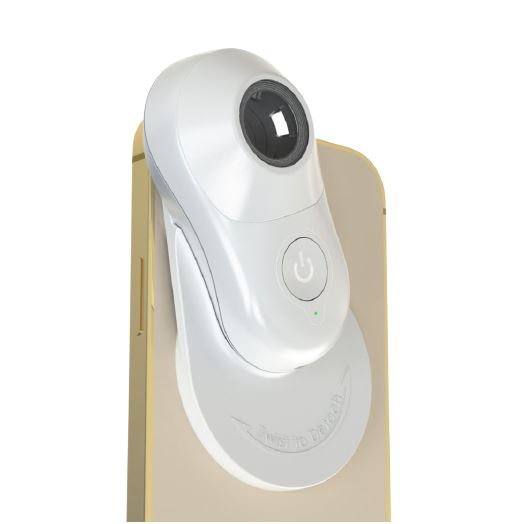

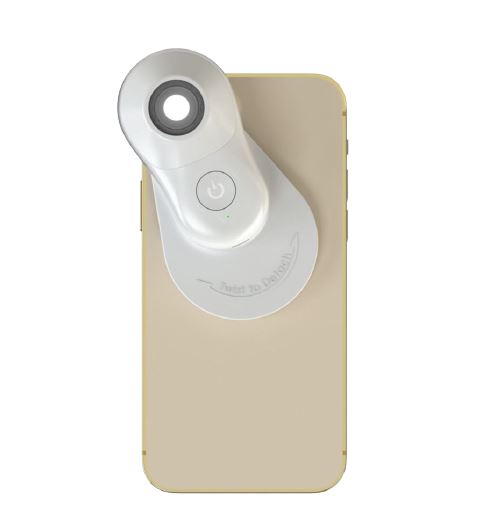
Description
Universal adapter to attach the Digital Dermatoscope Molescope II to any model of mobile phone or tablet. Dermatoscope not included.
Placement instructions:
1. Turn the back casing where the adhesive pad is located. If it's dirty or has lost its properties, wash it with water and let it air dry. Do not use hot water, cleaning products or a hair dryer to speed up drying.
2. To place it, clean the back of your mobile phone with the provided microfiber cloth.
3. Then, align the insert marks perpendicularly to the center of the phone camera.
4. Press gently to adhere the adapter properly. If your mobile phone has a case more than 2 mm thick, it is recommended to remove it for better quality images.
5. Make sure the adhesive pad is well attached to the phone before placing the dermatoscope.
6. Place the Molescope II on the universal insert. You will hear a sound indicating that the dermatoscope has magnetically adhered.
7. When the session is over, stretch to remove the Molescope II from the insert. To protect the adhesive pad, gently turn the adapter's fixing plate to remove it from the mobile device. Then, stretch to separate it from your phone and reposition the cap on the adhesive pad.
When the Molescope II is going to be used frequently, you have the option to place the insert permanently. If you prefer this option, remove the adhesive pad from the adapter and replace it with the provided double-sided adhesive. Once the adhesive is placed on the insert structure, align its marks to the mobile phone or tablet camera.
For best results, place the insert on protective cases that have a smooth surface. Avoid placing it on rubber, leather or textile cases.
Placement instructions:
1. Turn the back casing where the adhesive pad is located. If it's dirty or has lost its properties, wash it with water and let it air dry. Do not use hot water, cleaning products or a hair dryer to speed up drying.
2. To place it, clean the back of your mobile phone with the provided microfiber cloth.
3. Then, align the insert marks perpendicularly to the center of the phone camera.
4. Press gently to adhere the adapter properly. If your mobile phone has a case more than 2 mm thick, it is recommended to remove it for better quality images.
5. Make sure the adhesive pad is well attached to the phone before placing the dermatoscope.
6. Place the Molescope II on the universal insert. You will hear a sound indicating that the dermatoscope has magnetically adhered.
7. When the session is over, stretch to remove the Molescope II from the insert. To protect the adhesive pad, gently turn the adapter's fixing plate to remove it from the mobile device. Then, stretch to separate it from your phone and reposition the cap on the adhesive pad.
When the Molescope II is going to be used frequently, you have the option to place the insert permanently. If you prefer this option, remove the adhesive pad from the adapter and replace it with the provided double-sided adhesive. Once the adhesive is placed on the insert structure, align its marks to the mobile phone or tablet camera.
For best results, place the insert on protective cases that have a smooth surface. Avoid placing it on rubber, leather or textile cases.
